Microsoft 365 E7: Is Your Business Ready for AI?
Microsoft 365 E7 and the Next Phase of AI: What Businesses Should Understand
Artificial intelligence is quickly moving beyond individual tools that help employees write emails, summarize meetings, or create documents.
The next phase is much bigger.
Organizations are beginning to use AI agents that can work across business information, assist with processes, interact with systems, and take actions on behalf of users. That creates significant opportunities for productivity and automation, but it also introduces an important question:
How do you manage, secure, and govern all of this AI activity?
Microsoft’s introduction of Microsoft 365 E7, which it is positioning as the Frontier Suite, offers a glimpse into how Microsoft sees that future developing.
And regardless of whether Microsoft 365 E7 is the right license for your organization, the direction behind it is worth understanding.
AI Is Becoming Part of the IT Environment
For the last several years, businesses have primarily thought about AI as something employees use.
Ask Copilot a question. Summarize a meeting. Draft a proposal. Analyze a spreadsheet.
Those capabilities are valuable, but organizations are now beginning to explore AI that can do more than assist an individual employee.
AI agents can potentially help organizations automate repetitive processes, retrieve information from business systems, coordinate workflows, and perform tasks across applications.
That changes the conversation.
An AI assistant is primarily a productivity tool.
An AI agent that can access company information or interact with business processes becomes part of the organization’s technology environment.
And anything operating inside that environment needs to be managed accordingly.
Why Microsoft 365 E7 Matters
Microsoft 365 E7 represents Microsoft's effort to bring advanced Microsoft 365 capabilities, Copilot, security, and the governance of AI agents closer together.
From an MSP perspective, that is the important takeaway.
Businesses have spent years building controls around human identities:
Who has access to company information?
What applications can employees use?
What happens when someone changes roles?
How do we protect sensitive information?
How do we detect compromised accounts?
What happens when an employee leaves?
Now organizations need to begin asking similar questions about AI.
Which agents exist in our environment?
Who created them?
What information can they access?
What systems can they interact with?
What actions are they permitted to perform?
Who is responsible for them?
How do we monitor their activity?
What happens when an agent is no longer needed?
Those questions move AI from being simply a productivity discussion into identity, security, governance, compliance, and IT management.
The Most Important AI Project May Happen Before You Deploy AI
This is where we believe many businesses need to slow down.
There can be pressure to give employees AI capabilities quickly because the productivity potential is exciting. But AI works with the information and permissions already present in your environment.
If employees have access to information they shouldn't have, AI may make that information easier to discover.
If SharePoint or Teams permissions have accumulated over years without review, AI doesn't automatically correct them.
If sensitive business data isn't classified or governed properly, adding AI can expose weaknesses that were already there.
And as businesses begin deploying agents capable of interacting with data and systems, those risks become even more important.
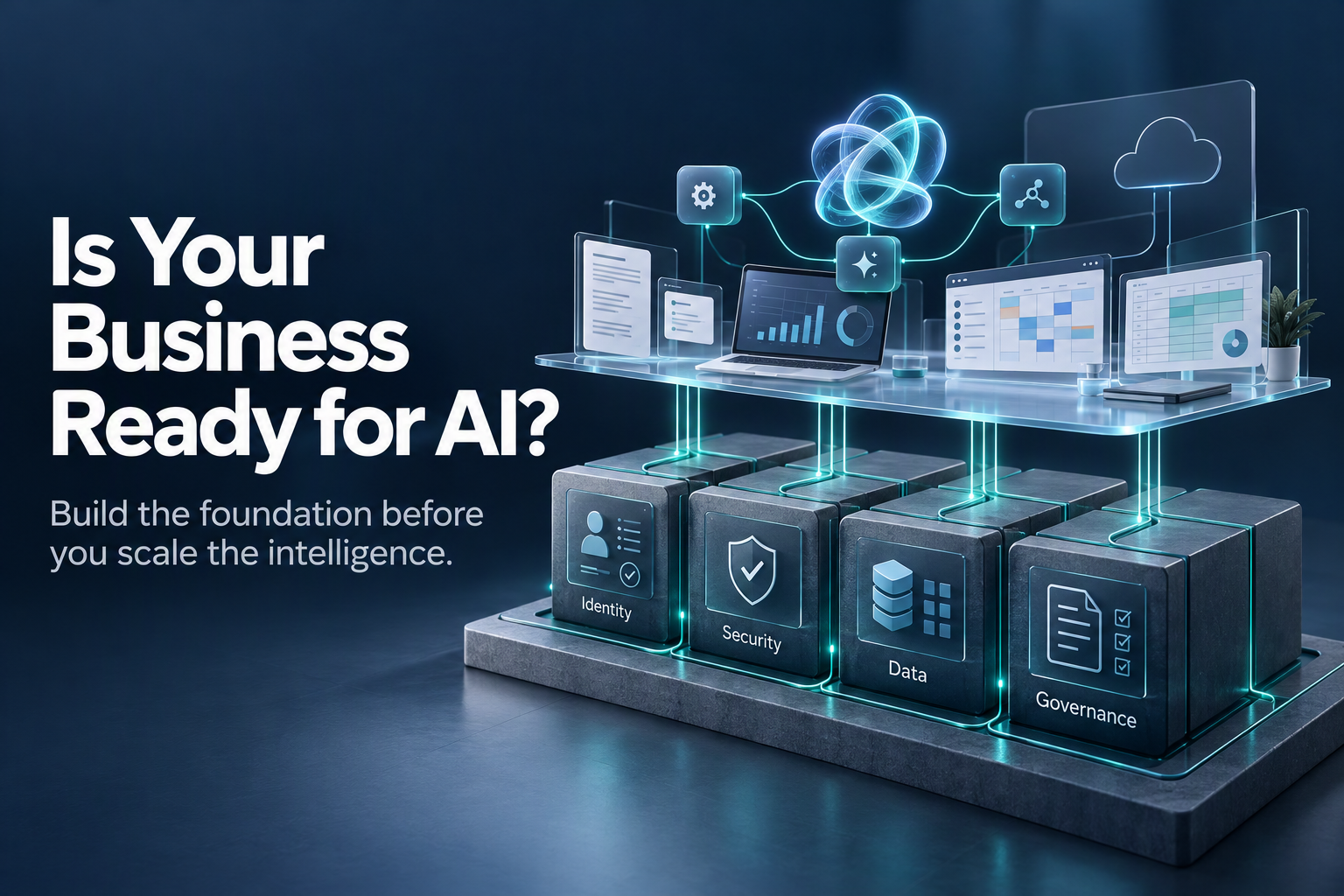
Before asking, “How quickly can we roll out AI?”, organizations should first ask:
“Is our Microsoft 365 environment ready for AI?”
What Does AI Readiness Actually Mean?
For most organizations, AI readiness does not require rebuilding their entire IT environment. It does require understanding the foundation.
1. Identity and Access
Organizations should know who has access to Microsoft 365, what privileges they have, and whether that access is appropriate for their job.
Strong authentication, least-privilege access, conditional access policies, and proper administrator controls become increasingly important in an AI-enabled environment.
2. Data and Permissions
Microsoft 365 environments often contain years of accumulated files, Teams, SharePoint sites, shared mailboxes, and permissions.
Before broadly enabling AI, organizations should understand where sensitive information resides and who can access it.
3. Device Security
An AI strategy cannot be separated from endpoint security.
The devices employees use to access Microsoft 365 still need to be properly managed, patched, monitored, and protected.
4. Security and Threat Protection
Email, identity, endpoints, cloud applications, and business data remain common targets for attackers.
AI adds capabilities, but it does not remove the need for a strong cybersecurity foundation.
5. AI and Agent Governance
As organizations begin creating or enabling AI agents, someone needs visibility and accountability.
Businesses should establish guidelines covering what agents can be created, what information they may access, who approves them, how they are monitored, and when they should be retired.
Not Every Business Needs E7
This may be the most important point.
A new Microsoft license does not automatically mean every organization should buy it.
Microsoft 365 E7 will make sense for certain organizations based on their size, existing Microsoft licensing, security requirements, compliance responsibilities, Copilot adoption, and plans for AI agents.
Other businesses may be better served by Microsoft 365 Business Premium, E3, E5, Copilot, or a carefully selected combination of services.
The right conversation isn't:
“Should we upgrade to E7?”
It is:
“What are we trying to accomplish, what risks do we need to manage, and which Microsoft capabilities actually support those requirements?”
That is an important distinction.
The MSP's Role Is Changing Too
As AI changes the workplace, the role of the Managed Service Provider has to evolve with it.
Managing Microsoft 365 can no longer mean simply creating users, assigning licenses, supporting devices, and responding to tickets.
Businesses increasingly need help connecting:
Technology + Cybersecurity + Data + AI + Governance + Business Process
That requires understanding the business before recommending the technology.
At RMON Networks, we believe AI discussions should begin with business outcomes and readiness, not licensing.
Where could AI genuinely save employees time?
Which processes could be automated?
What information would AI need to access?
Are the right security controls already in place?
Which employees actually need advanced AI capabilities?
How will the organization govern AI and agents as adoption expands?
Those answers should determine the technology strategy.
Not the other way around.
The Bigger Message Behind Microsoft 365 E7
Microsoft 365 E7 is interesting as a new offering, but the larger story is more important.
Microsoft is moving toward a world where employees, Copilot, and AI agents work together inside the same digital environment.
That creates enormous potential.
It also means identity, data security, permissions, endpoint management, compliance, AI governance, and employee education need to evolve together.
For business leaders, the takeaway isn't that everyone needs another Microsoft license.
It's that AI readiness is becoming part of IT readiness.
Organizations that build the right foundation now will be in a much better position to take advantage of AI safely and strategically as these technologies continue to develop.
Where Should You Start?
Before adding more AI tools or evaluating Microsoft 365 E7, consider conducting a Microsoft 365 and AI readiness review.
Look at:
Current Microsoft 365 licensing
Identity and MFA configuration
Administrative privileges
Teams and SharePoint permissions
Sensitive data and information protection
Device management
Endpoint and email security
Current Copilot usage
Existing or planned AI agents
AI governance policies
Employee AI training
You may discover that you're ready to move forward.
Or you may identify a few foundational issues that should be addressed first.
Either result is valuable.
RMON Networks can help organizations evaluate their current Microsoft 365 environment, understand where Copilot and AI fit, identify security and governance gaps, and develop a practical roadmap for adopting AI at the pace that makes sense for the business.
Because successful AI adoption isn't about deploying AI everywhere.
It's about deploying it where it creates value, with the right security and governance around it.